

Marco Hot Water Boiler
Equipment
Back![]()
![]()
![]()

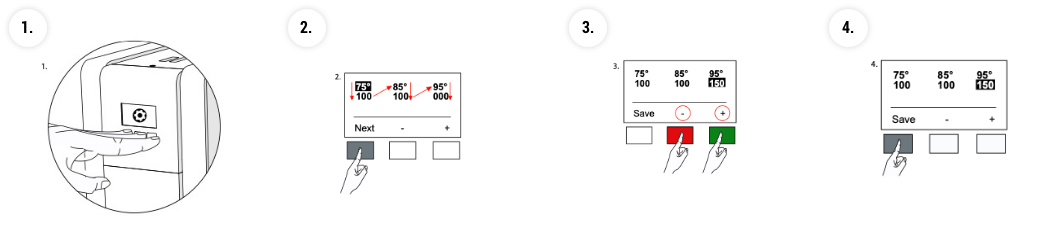
Procedure for programming
Ideal setting display of Marco Mix PB3 & UC3
STEP 1: Press all programming mode 3 buttons together to enter
STEP 2: Press far left button to move through program
STEP 3: Press + or – buttons to change display volume greater or less
STEP 4: Move through program until SAVE appears on screen- then save